Tech gifts can make work, play, and creative projects feel a little easier. This selection includes practical desk upgrades, gaming gear, audio tools, and portable power.
Use the recipient’s setup and habits as your guide: compatibility, available space, and the kind of tasks they enjoy can make a gift especially useful.
12 Gift Ideas for Tech Lovers
HUANUO FlowLift Dual Monitor Stand

- Fits compatible computer screens from 13 to 32 inches, with VESA mounting holes.
- Each arm supports a screen weighing 4.4 to 19.8 lbs.
- Cable management guides wires along the arms.
Best Gift For: A home-office worker or gamer who wants more room on the desk and adjustable screen positions.

TMY 1080P Mini Portable Projector with 80in Screen
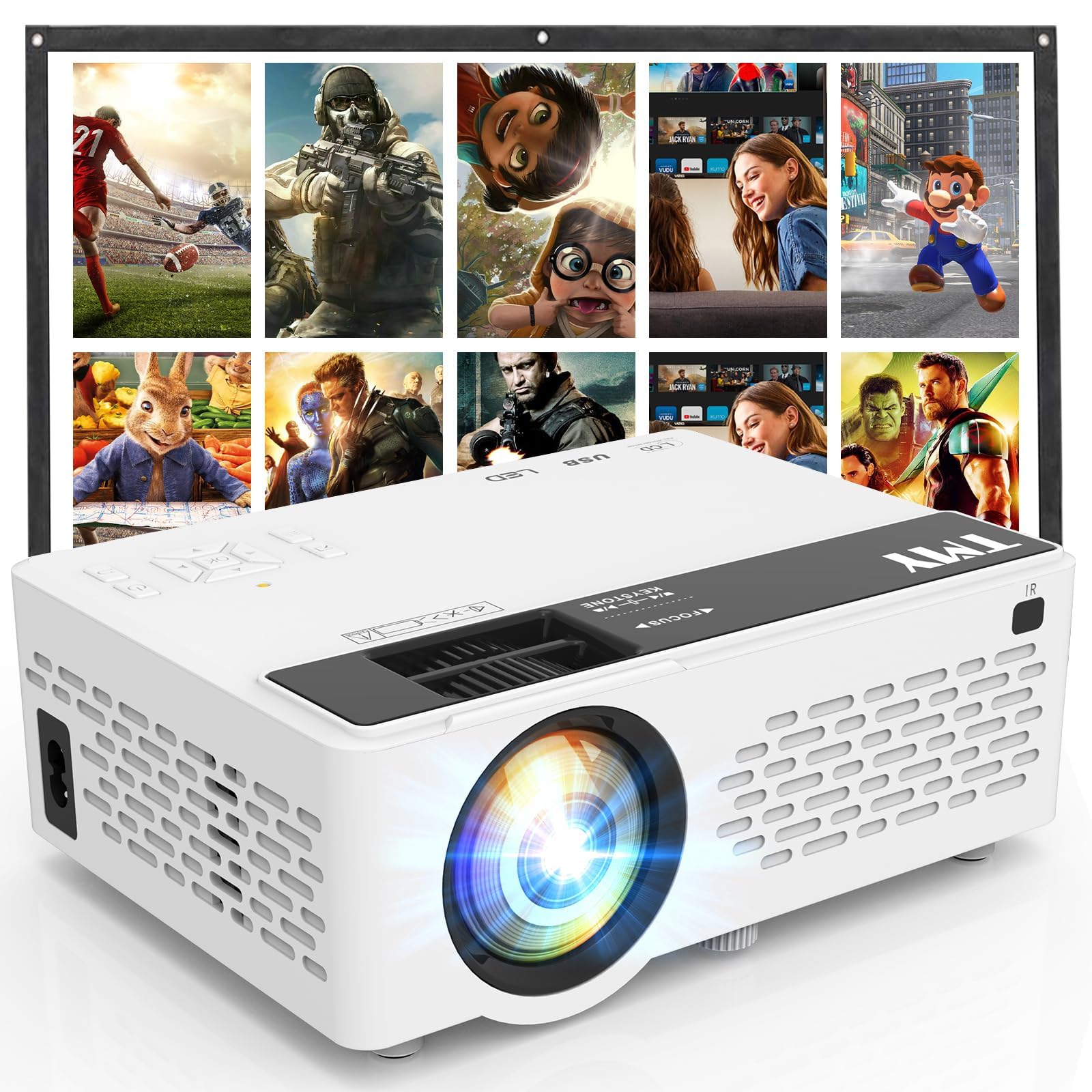
- Includes a foldable 80-inch projection screen.
- Supports 1080P Full HD video.
- Bluetooth can connect to external speakers or play audio from a phone or tablet.
Best Gift For: A movie fan who would enjoy setting up a larger screen for indoor or outdoor entertainment.
SteelSeries Arctis Nova Pro Wireless Gaming Headset

- Connects two systems at once, with options that include PC, PlayStation, Switch, or Mac.
- Includes active noise cancellation and Transparency Mode.
- Two hot-swappable batteries keep a spare charging in the base station.
Best Gift For: A gamer who switches between supported systems and wants headset audio for calls or music too.
FIFINE T669 USB Studio Microphone Kit

- USB connection supports plug-and-play setup with a PC or laptop.
- The cardioid capsule captures audio from the front and avoids ambient noise while recording.
- Includes a boom arm stand and double pop filter.
Best Gift For: A new podcaster, streamer, or voiceover creator building a computer-based recording setup.
Nelko Bluetooth Thermal Shipping Label Printer
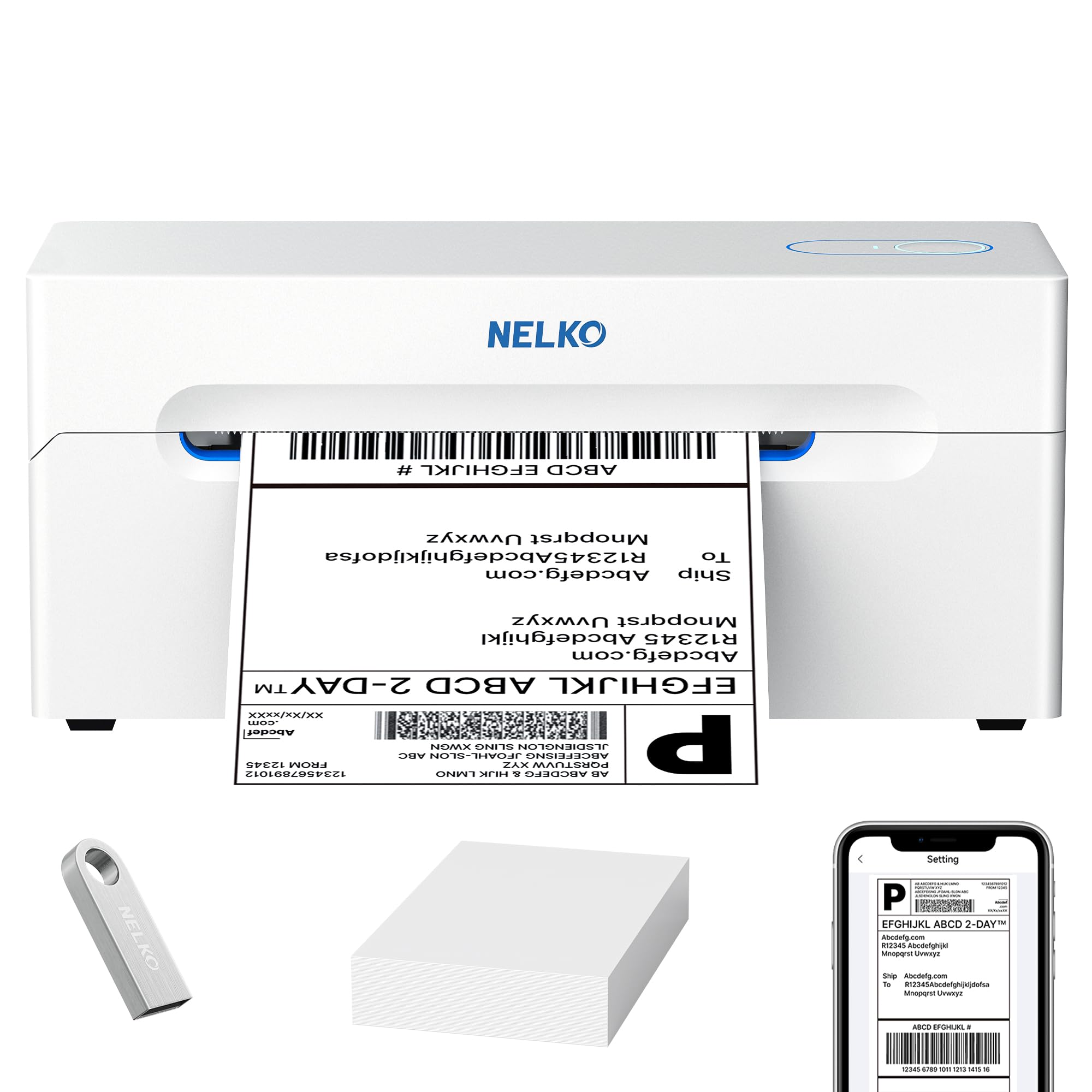
- Thermal printing avoids the need for ink or toner.
- Wireless printing works through the NELKO app on supported devices.
- Supports labels from 1.57 to 4.1 inches wide.
Best Gift For: A small-business owner or online seller who prints shipping and product labels.
TP-Link AXE5400 Tri-Band WiFi 6E Router

- Tri-band WiFi 6E supports browsing, streaming, gaming, and downloads at the same time.
- OFDMA technology increases capacity for simultaneous device connections.
- Can connect to a TP-Link OneMesh extender for seamless whole-home coverage.
Best Gift For: A tech-focused household with compatible devices used for gaming, streaming, and video calls.
SteelSeries Apex Pro HyperMagnetic Gaming Keyboard

- Per-key actuation offers 40 levels of adjustment.
- The OLED display shows information from games and apps.
- USB passthrough can connect another USB-powered device.
Best Gift For: A PC gamer who likes customizing key response and keeping game or app information in view.
Audioengine A2+ Wireless Computer Speakers

- Bluetooth and wired inputs support a range of connected devices.
- An integrated DAC connects directly to a computer through USB-C.
- Hand-finished real wood cabinets help reduce unwanted resonance.
Best Gift For: Someone who listens to music, podcasts, or calls at a home-office desk.
Nulaxy Pull-Out Height Adjustable Laptop Stand

- Fits laptops from 10 to 17 inches.
- A pull handle switches between sitting and standing positions.
- The foldable design saves desk space when not in use.
Best Gift For: A laptop user who changes between sitting and standing at a desk.
SteelSeries Aerox 3 Wireless Gaming Mouse

- The holey shell weighs 68g.
- PrismSync RGB offers 16.8 million configurable colors.
- Wireless connection options include 2.4GHz and Bluetooth 5.0.
Best Gift For: A gamer who wants a wireless mouse with configurable lighting and a lightweight design.
LISEN 0.5-Inch Ultra Slim MagSafe Power Bank
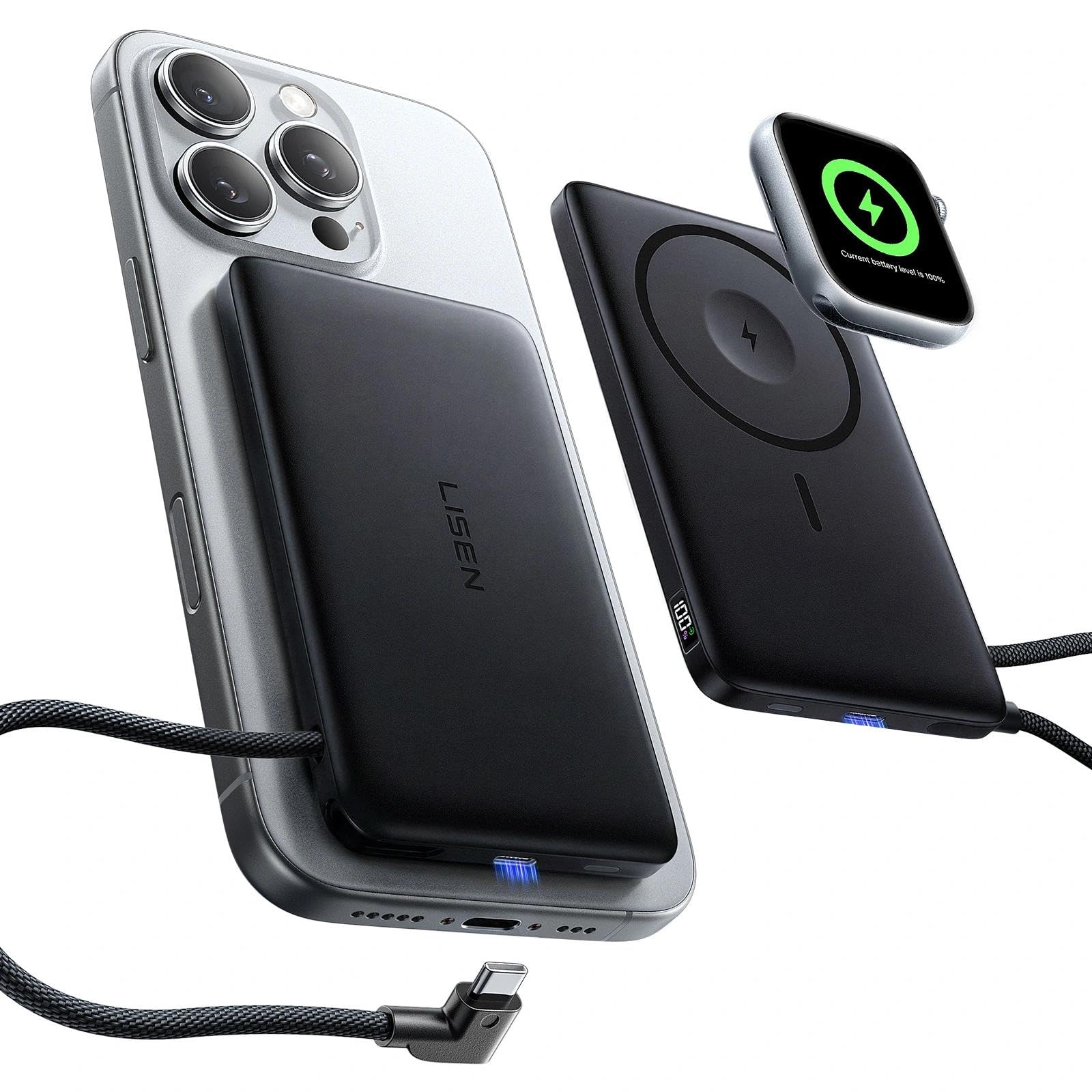
- Supports MagSafe charging and Apple Watch charging.
- Has a built-in USB-C cable and USB-C port.
- A digital display shows remaining power and charging status.
Best Gift For: An iPhone and Apple Watch owner who wants portable charging options for daily use or travel.
MAONO Wave T5 Mini Wireless Lavalier Microphone

- Includes four one-tap voice filters.
- Noise cancellation has three modes and 14 levels.
- The charging case provides 40 hours of total use.
Best Gift For: A vlogger, interviewer, or solo creator recording video with a compatible phone, camera, or PC.
Choosing gifts for tech lovers by how they use their gear
For gifts for tech lovers, begin with the recipient’s usual setting: a crowded desk, a home gaming corner, a small shop, or a phone used for recording on the move. A gift that fits an existing routine is more likely to be reached for than a device chosen only for its headline feature.
Think about what would improve an ordinary day. Someone juggling screens may appreciate a neater workstation; someone who records tutorials may value a simpler audio setup.
For shared household gifts, consider whether the device fits the people and equipment already in the room.
Compatibility deserves a little homework. Check the recipient’s computer, phone, operating system, desk, and other connected equipment where relevant.
If you cannot confirm a match, keep the gift receipt or choose an accessory with a broader role in their routine.
Set a comfortable budget for gifts for tech lovers
Set a budget by deciding whether this is a small personal gesture, a useful upgrade, or a larger shared present. Within a category, compare what the recipient needs today with what may require extra purchases, such as compatible accessories or a suitable place to install the device.
A lower-cost gift can feel complete when it solves one clear annoyance: a cluttered workspace, depleted phone battery, or difficult recording setup. More involved gear can make sense when the recipient has asked for that kind of upgrade and will use its added capabilities regularly.
Check current prices before buying, since prices can change. For costly or specialized equipment, confirm compatibility and what is included so the recipient is not surprised by a missing adapter or an installation mismatch.
Personalize gifts for tech lovers with a useful touch
For gifts for tech lovers, personalization can be as practical as choosing for a favorite game, a small business workflow, or a habit of recording family events. A short note that explains why you picked it helps connect the gift to that interest without adding clutter.
Presentation can make technical gear feel welcoming. Wrap the item with a card naming the first project or evening it might support, such as a movie night or a new podcast episode.
For a shared present, invite the household to choose when to set it up together.
If the gift needs configuration, offer to help with setup only if you are comfortable doing so, and let the recipient choose when. Keep packaging and purchase information handy until they have confirmed everything works with their existing devices.
Last-minute buying advice
When time is short, narrow the choice to something that matches a device or routine you already know. Check the current product details, connection type, dimensions, included components, and delivery estimate before ordering; a familiar use case is easier to verify quickly than a speculative upgrade.
Avoid assuming a gift will work because two products share a brand or look similar. Confirm the exact model and the recipient’s setup, especially for items that attach to furniture or connect to a particular phone or computer.
If a detail remains uncertain, choose a gift that does not depend on it.
Consider a digital note or a simple printed card if the physical item may arrive later. State what you chose and why, then let the recipient know you checked the expected delivery estimate.
A thoughtful explanation can make the occasion feel considered even when shopping happens close to the date.
A final checklist for practical gifting
Take one last look at the recipient’s space and habits before settling on a present. A compact desk, a frequently moved laptop, and a small-business packing station all point toward different kinds of useful gear.
The best fit comes from noticing what they do repeatedly.
Read current details for compatibility, dimensions, included accessories, and any requirements for installation or use. These checks are especially helpful when you are buying without the recipient nearby.
If needed, ask a trusted household member a discreet question about their setup.
Finish with presentation that suits the person: a simple wrap for a practical upgrade, or a note proposing a shared first use for entertainment gear. Keep the receipt or gift information available, and avoid promising that a device will work until the recipient has checked it with their own setup.